# Add Agent
An Agent is a member of your Support team. Agents will be able to view and reply to messages from your users.
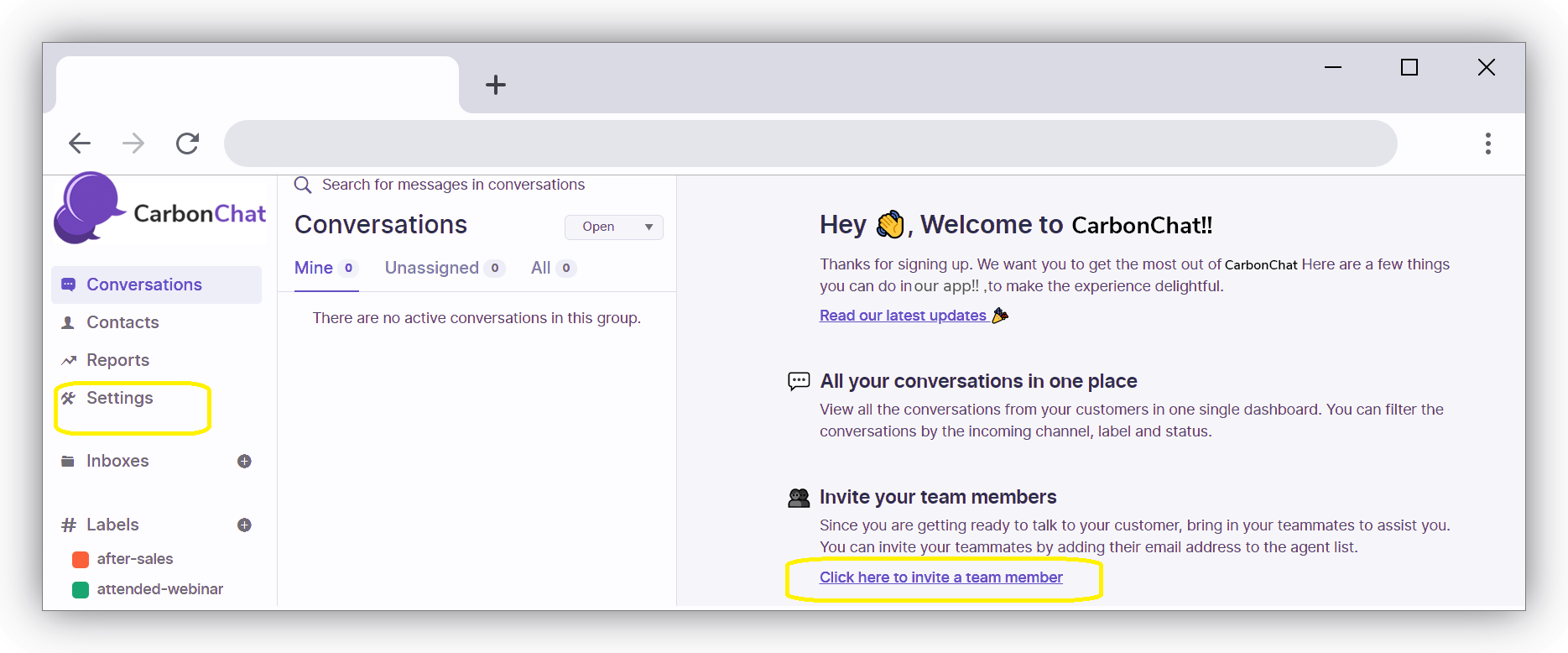
Click on 'Settings' on the Left-Hand Side OR 'Click here to Invite Team Member' to Add Agents
The Below Section will Open. Your Name will be listed by default as Administrator - Administrator will have access to all CarbonChat features enabled for your account, including settings, along with all of a normal agents' privileges.
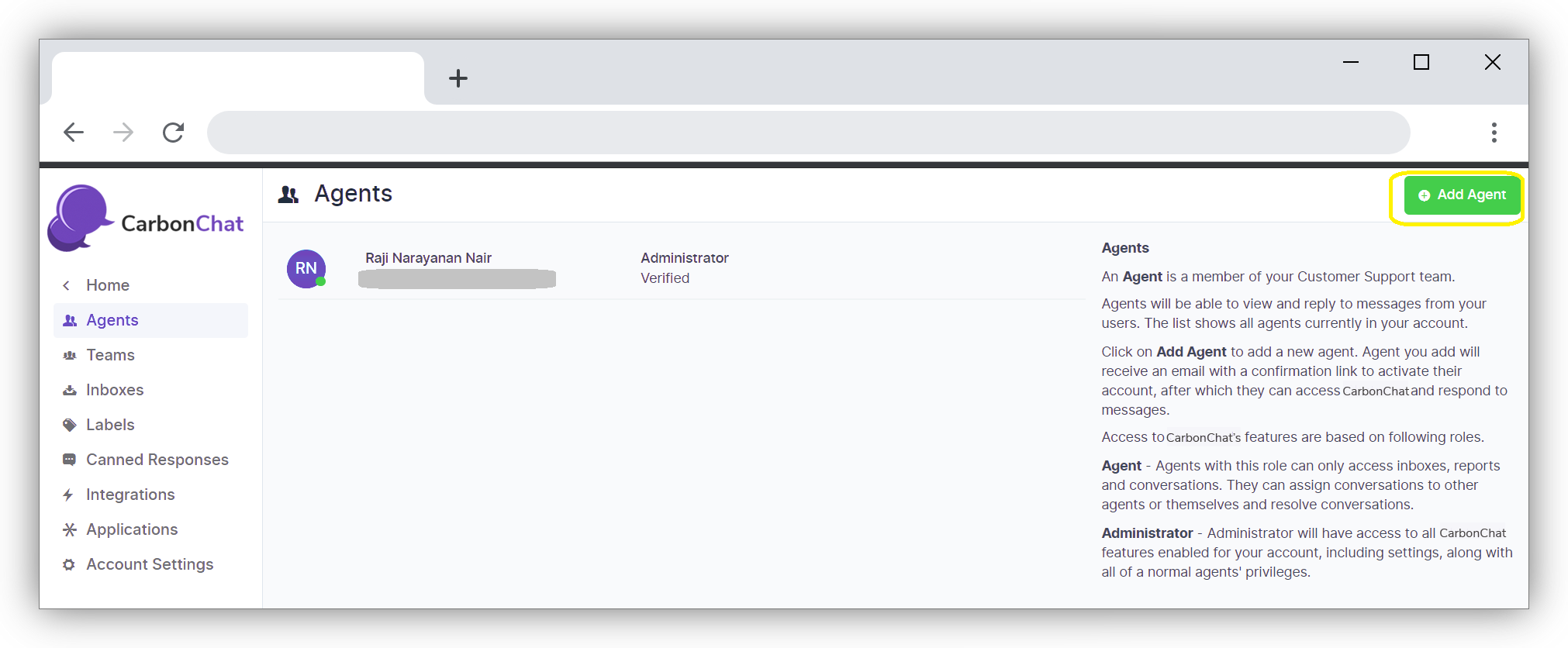
Click on Add Agent button on the Top Right-Hand Side. A pop-up window will open in which you can enter the details of the Agent like name, role and email address.
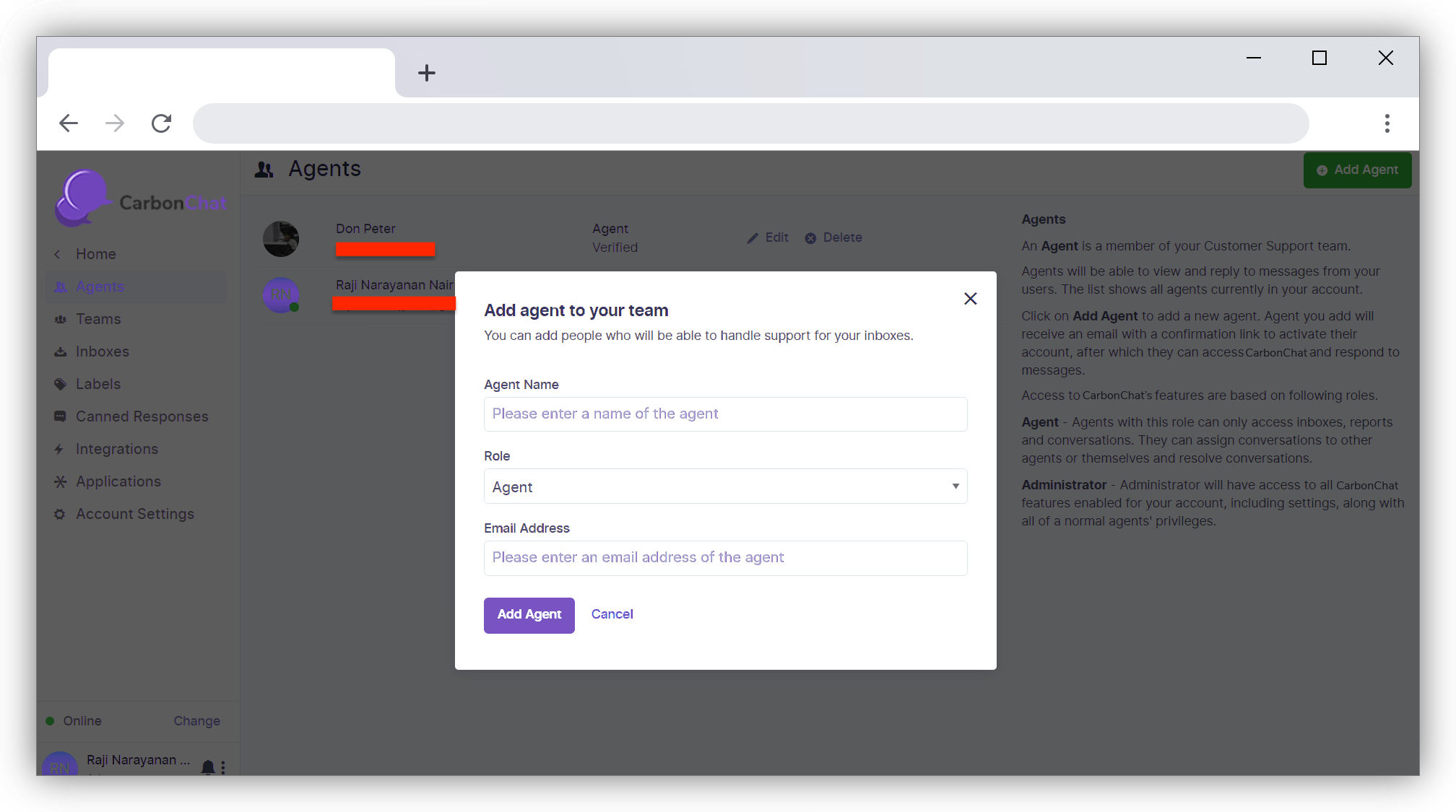
| Field Name | Value | Remarks |
|---|---|---|
| Agent Name | Enter Name of the Agent | eg: John Yoshi |
| Role | Enter the Role - Agent or Administrator | Agents can only access inbox, reports, and conversations. Administrators have all privileges of agents and have access to all features of CarbonChat |
| Your e-mail address | Enter the e-mail id you registered |
Click on Add Agent Button. "Agent Added Successfully" message will be displayed and the New Agent will be listed on the page.
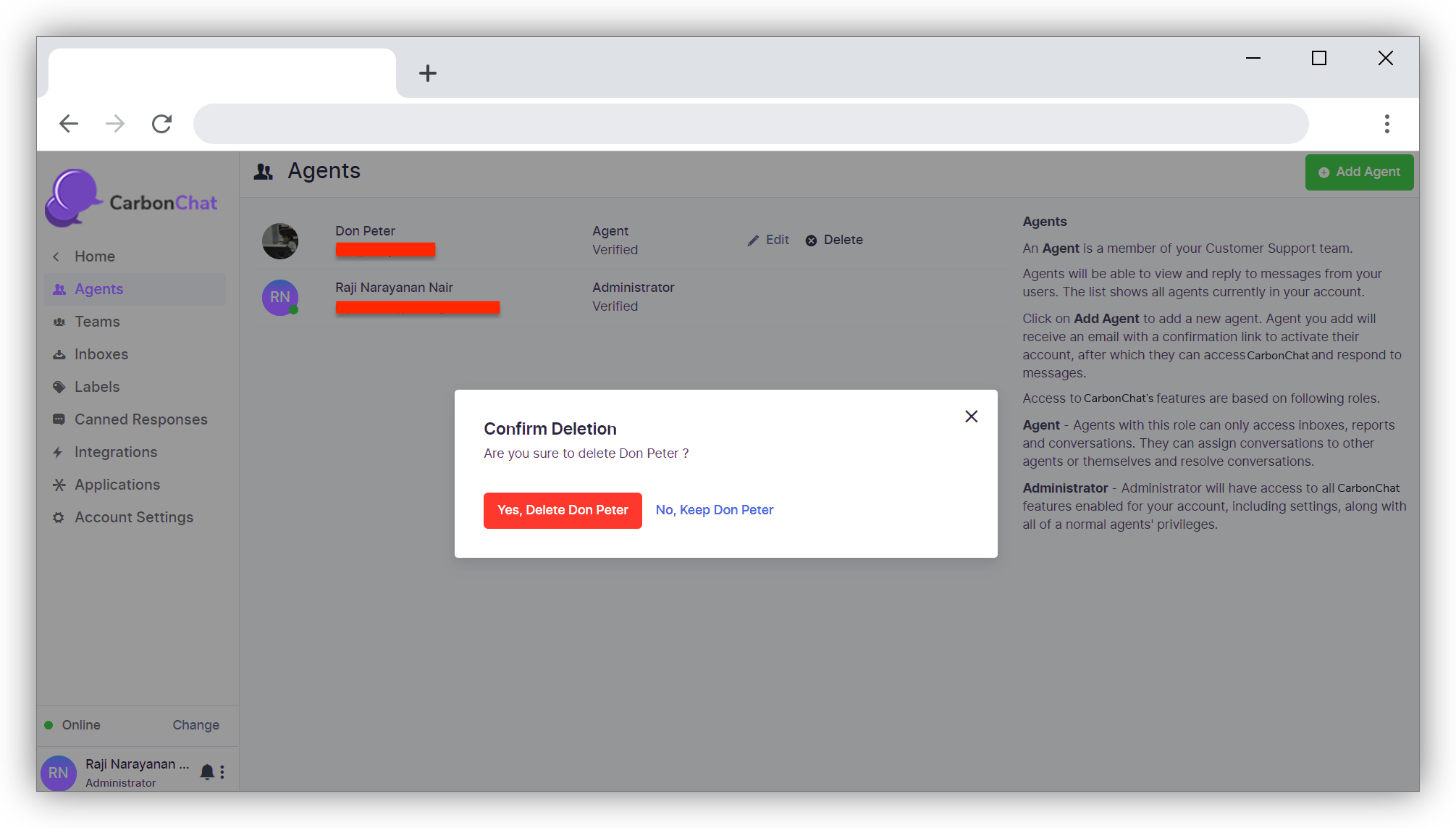
If you have entered the details incorrectly, it can be corrected using the Edit option in the Agents Screen.
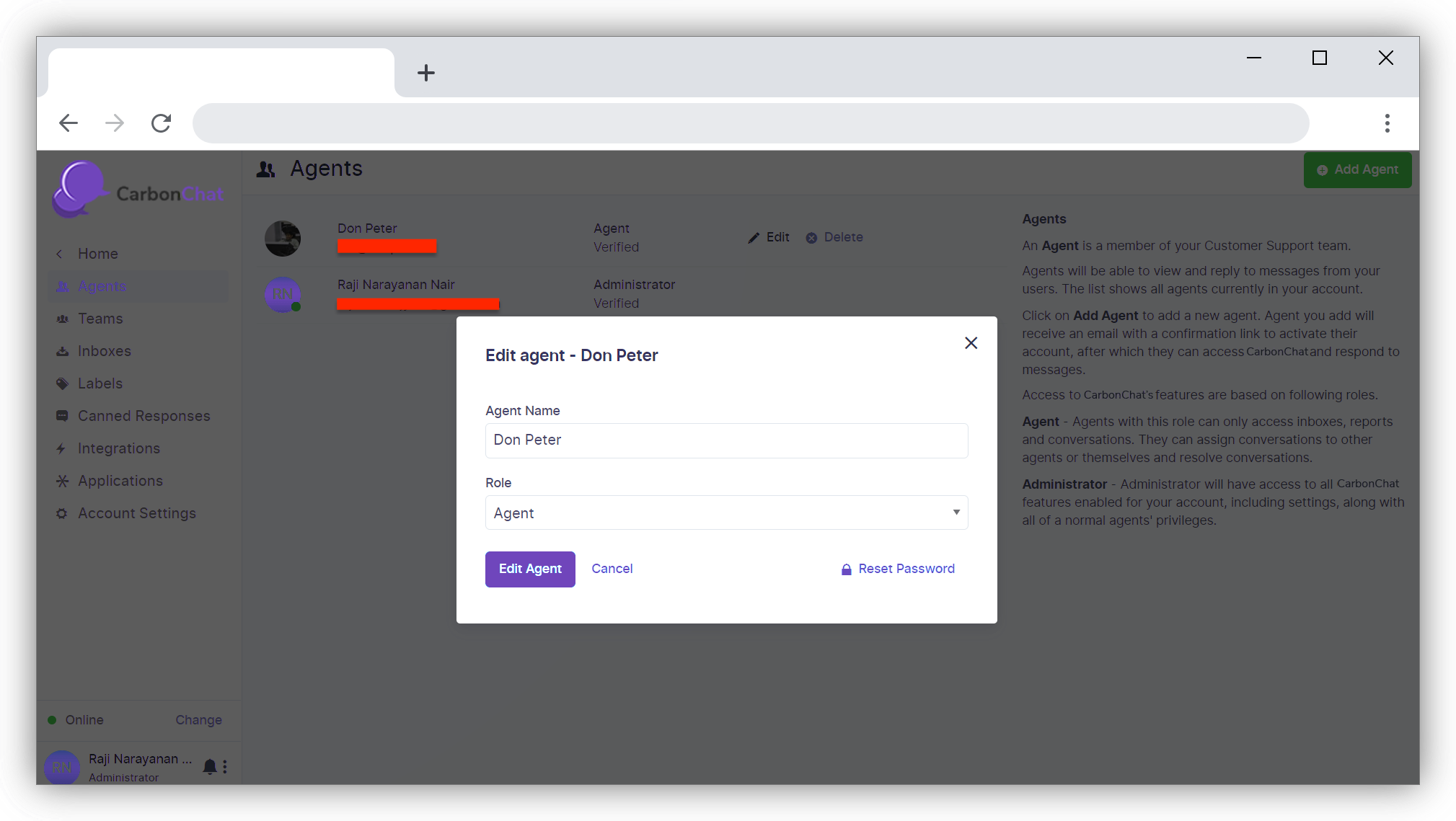
If you wish to remove an agent, you can do that by using the delete option to delete the agent from the dashboard.